Mollygram Review 2026: Public Instagram Media, Explained
An evidence-led Mollygram review for 2026: supported public Instagram media, privacy limits, reliability considerations, and a focused downloader alternative.
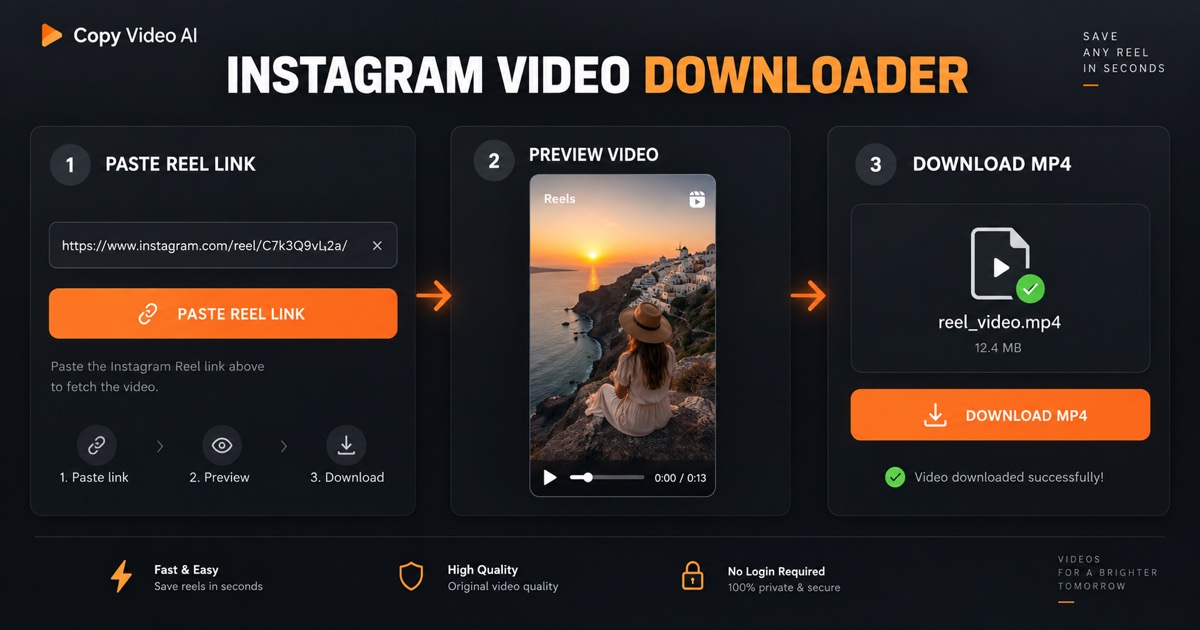
Mollygram Review 2026: What It Does and Where It Stops
This Mollygram review looks at the public claims on mollygram.com as they appeared on September 12, 2026. Mollygram is a browser-based Instagram viewer and downloader: its homepage asks for a username or link, says no account is required, and lists Stories, Highlights, Reels, photos, videos, IGTV, and profile photos as supported resources. It may be convenient when you need a one-time look at media that is already public. It is not a way to unlock a private Instagram account, get a guaranteed archive, or obtain rights to reuse someone else's work.
The short version: Mollygram has a broad, account-first browsing workflow. If your job is to explore the public content attached to a profile, that breadth is the point. If you already have a public Reel or post URL and only need the video file for a permitted reference workflow, a link-first tool such as Copy Video's Instagram Downloader is the narrower, clearer fit. Copy Video is our product, so that recommendation is disclosed up front.
Mollygram review at a glance
| Question | Mollygram, based on its public pages | Copy Video Instagram Downloader |
|---|---|---|
| Starting point | Instagram username, handle, or profile link | A complete public Reel, post, carousel, or TV permalink |
| Main job | Browse public profile media in one viewer | Find returned MP4 video files for one public post |
| Public Stories and Highlights | Listed by Mollygram as viewable | Not a feature |
| Reels and posts | Listed as viewable and downloadable | Public video posts and Reels only, when an MP4 is returned |
| Account or password | Mollygram says no account is needed | No Instagram login or password requested |
| Private accounts | Not supported by Mollygram's public FAQ | Not supported |
| Output boundary | Viewer and downloader claims vary by resource | Lists only returned HTTPS MP4 video files; it does not transcode or upscale |
This table is intentionally not a scorecard. The tools start from different inputs and solve different pieces of an Instagram research workflow. Features can change, so use the linked product pages for the current behavior rather than treating this Mollygram review as a permanent product specification.
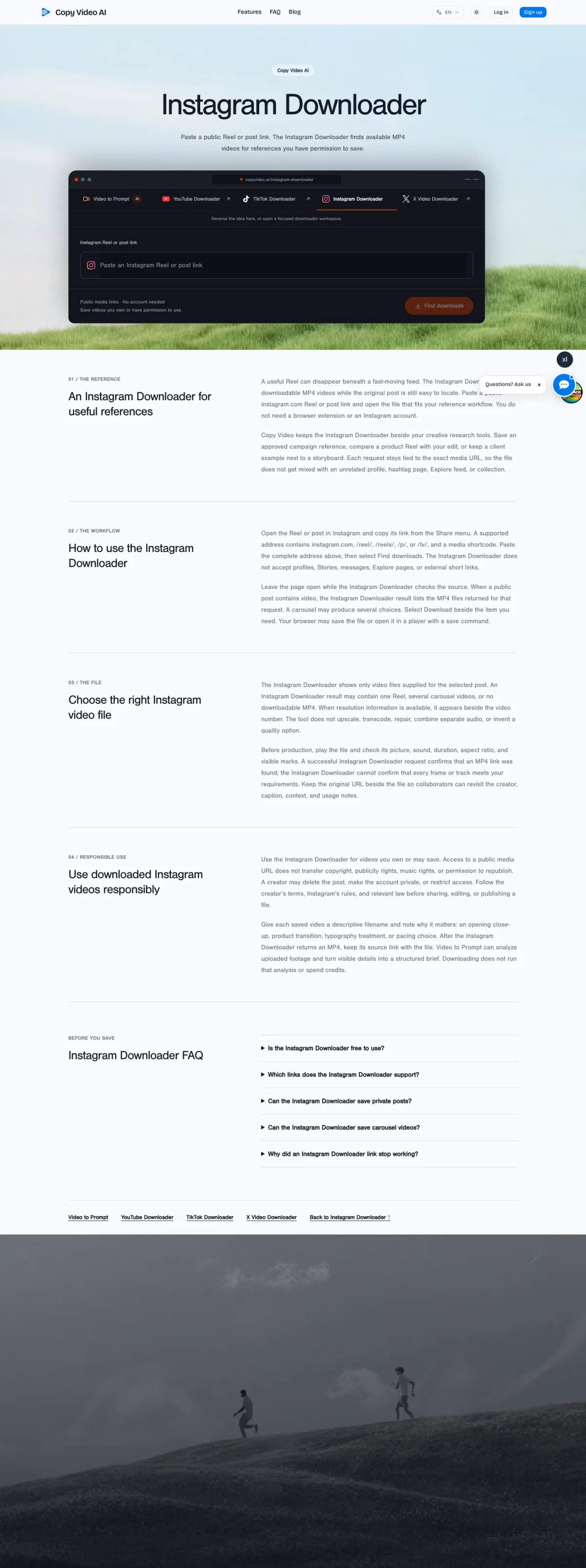
The real Copy Video Instagram Downloader interface on desktop. Paste the exact public Reel or post URL to begin; the form intentionally does not ask for an Instagram password or profile search.
What Mollygram says it supports
Mollygram's current English homepage is centered on anonymous Story viewing. It says visitors can enter a username or link, then lists Reels, Stories, Highlights, photos, videos, IGTV, and profile photos. Its English viewer page describes entering an Instagram username, an @handle, or a profile URL and then moving among Stories, Highlights, Reels, profile photos, and other public posts in one interface. Those are useful distinctions: Mollygram is built for profile exploration, not only for downloading one known Reel.
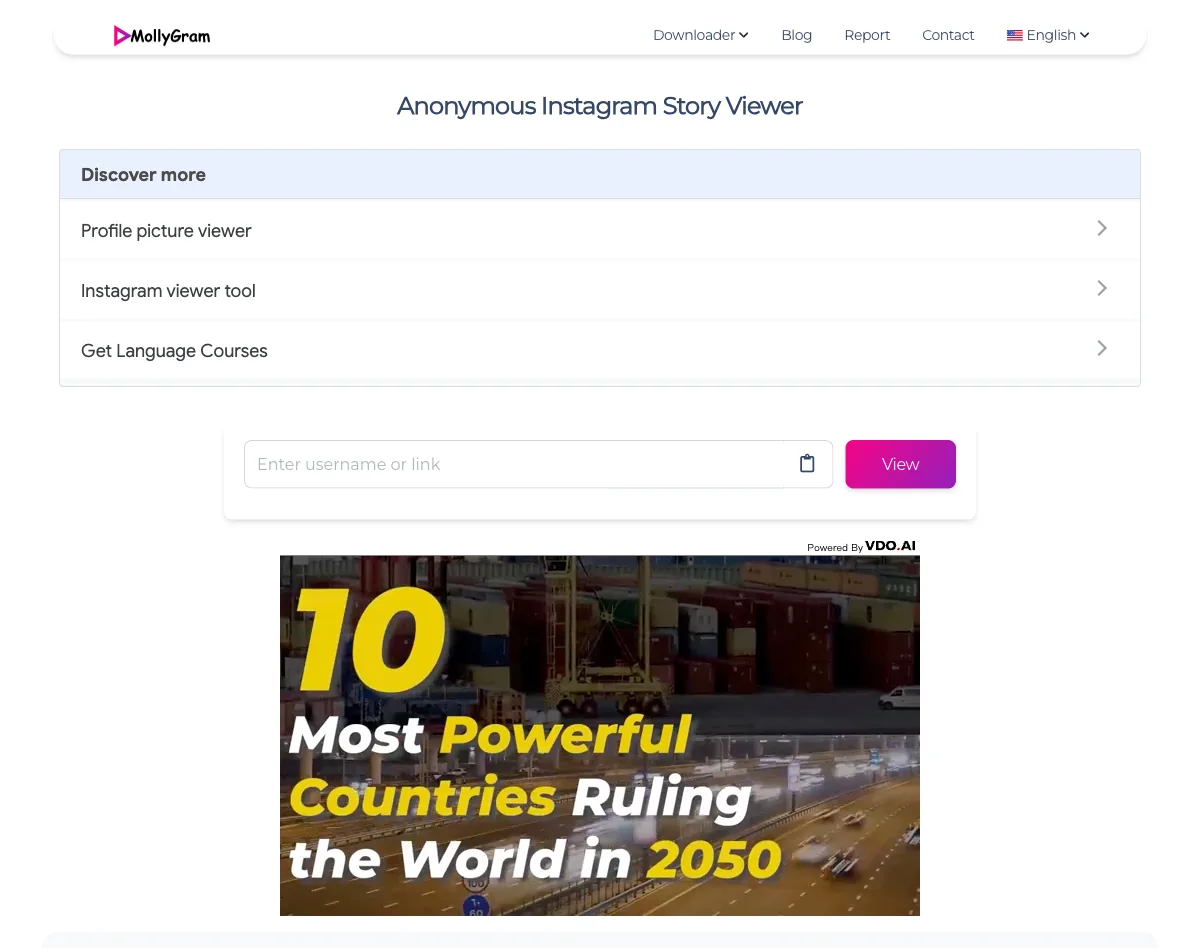
Mollygram's public English viewer page, captured from mollygram.com/en1 on September 12, 2026. This is a source screenshot only: Copy Video is not affiliated with Mollygram or Instagram, and the image does not verify account lookup, download availability, or anonymous-viewing claims.
The site's public FAQ also says the service works without creating an account or logging in. That reduces a meaningful risk compared with any tool that asks you to hand over an Instagram password. Still, “no login” is not the same as a promise that no data is processed. A browser request necessarily reaches the site, and its current privacy and data-handling terms are the place to check before using Mollygram for sensitive research.
The official Mollygram review evidence is strongest for the features its pages name directly. It should not be stretched into a promise that every public profile, Story, Reel, or download will be available every time. Third-party access can change after Instagram changes a page, an account becomes private, content is removed, a region restriction applies, or the service has an outage.
Can Mollygram access private Instagram accounts?
No. Mollygram's own FAQ says that its anonymous viewer supports public Instagram accounts and that private Stories are not accessible. That is the practical line to remember in any Mollygram review: a public viewing service cannot turn a private account into public content. A legitimate workflow respects the creator's selected audience and never treats a “private viewer” claim as a workaround.
Avoid any page, extension, or app that requests an Instagram password, session cookie, payment, or download before it can supposedly reveal private content. Those requests create a security risk and do not change Instagram's privacy setting. Copy Video follows the same boundary: it accepts only a complete public instagram.com media URL and does not ask for credentials or cookies.
Does Mollygram let a creator know you viewed a Story?
Mollygram describes its service as anonymous and says it does not store Instagram user data. Its homepage says it can show public Stories without the original poster knowing. That is a claim about how its viewing flow is designed, not an independent guarantee that should be used for high-stakes decisions. This Mollygram review did not submit a live account query or verify Story-viewer-list behavior, so treat the official claim as unverified by Copy Video.
For ordinary, low-risk research, the more important question is whether anonymous viewing is appropriate. Respect account owners, local law, platform rules, and any professional obligation to disclose your identity. Anonymous access does not cancel copyright, privacy, contract, or publicity rights.
Mollygram strengths for public-profile research
Mollygram's profile-first approach is useful when a person needs to inspect several kinds of public content from the same account. Rather than beginning with a single Reel URL, the visitor can start with a handle and look for active Stories, saved Highlights, Reels, photos, and profile media. That makes Mollygram a potentially practical discovery tool for a creator studying public publishing patterns or a marketer checking a public campaign. Mollygram is therefore most useful before a particular post has been selected.
The official pages also make the workflow easy to understand: type a username or link, select the account, then browse the available public material. Mollygram says the experience works on phones, tablets, and desktop devices, which matters for a lightweight browser tool.
For this use case, the best Mollygram review outcome is not “it can see everything.” It is “it may simplify a public, point-in-time look across multiple resource types.” That framing is fairer to both the user and the platform than a blanket promise of anonymous access.
Mollygram limitations to plan around
Mollygram's own public FAQ places the first limitation clearly: private content is out of scope. The same principle applies when content has been deleted, is age- or region-restricted, no longer plays publicly, or is affected by Instagram-side changes. A public account today can be private tomorrow; a Story disappears on Instagram's own schedule. Mollygram cannot reverse those source-side changes.
Mollygram also does not grant a license to save, edit, republish, or commercialize media. Its site says it is not affiliated with Instagram and asks visitors not to use somebody else's copyrighted material. If you are saving a video, keep the original URL and record why you are permitted to use it. Mollygram access is not permission for reuse.
Finally, do not treat any third-party viewer as a durable archive or a system of record. A Mollygram review can describe an available viewer today, but it cannot promise service continuity, a specific download quality, zero ads, or permanent access to media. Mollygram is a point-in-time service, not a preservation system. When a reference matters to a client project, confirm the source in Instagram and maintain your own rights notes.
Mollygram vs. Copy Video for downloading a Reel
The practical choice comes down to the task in front of you. Mollygram begins with an account or profile discovery workflow and advertises several public media types. Copy Video's Instagram Downloader starts after discovery: paste a complete public permalink for a Reel, video post, video carousel, or older TV post, then review the MP4 video entries returned for that post.
That narrower boundary has a few concrete benefits for a permitted video-reference workflow:
- The input is the exact public post URL, not a profile search.
- The result lists video files returned for that request; a carousel can show more than one video.
- Copy Video filters the result to HTTPS MP4 video files from its approved media hosts. It does not claim to recover images, separate audio, private posts, or content that Instagram no longer serves.
- It does not upscale, repair, transcode, or invent a “highest quality” option. Check the file yourself before you edit with it.
This is not an argument that Mollygram is worse. It is a difference in scope. Choose Mollygram when public-profile browsing is the goal. Choose Copy Video when you already have permission, already have the exact public link, and want a deliberate handoff to a downloadable video file. Copy Video can then help you turn footage you are allowed to use into a structured creative brief with its Video to Prompt workflow; downloading alone does not analyze a video or grant rights.
A responsible public-video workflow
- Confirm that the account and post are public in a normal browser.
- Confirm that you own the video or have the creator's permission for the use you intend.
- Keep the original post URL, creator name, and permission note with the file.
- Use Mollygram for public-profile discovery only if its current policies and the intended use are appropriate.
- For one known public video, paste the complete permalink into the Instagram Downloader, then review each returned MP4 before saving it.
- Do not publish, redistribute, or train on the file unless your rights actually allow it.
This workflow makes a Mollygram review useful without turning it into a claim of access or ownership. It also prevents a common research mistake: separating a reference file from the context that explains who made it and how it may be used.
Is Mollygram safe to use?
Mollygram's no-login design is preferable to a third-party service that asks for an Instagram password. The official site says it is free, does not require an account, and does not support private Stories. Those are positive guardrails, but no external website can be assessed as universally “safe” from a feature list alone. Mollygram visitors should make that judgment based on the current site, their risk tolerance, and the data they choose to submit.
Before using Mollygram, verify the domain in the address bar, read its current policy, avoid unrelated download buttons or browser extensions, and leave immediately if a page asks for credentials, cookies, or private-account access. Do not use Mollygram for sensitive work where a third party seeing your IP address or search terms would be unacceptable. If you only need an authorized public Reel file, the scoped Copy Video flow avoids profile lookup and asks only for the media permalink.
Mollygram review verdict
Mollygram is best understood as a public-profile viewer with a broad list of public Instagram resource types. Its main appeal is discovering Stories, Highlights, Reels, posts, and profile media from a username or profile URL without an Instagram login. Its main limits are just as important: Mollygram cannot legitimately access private accounts, does not convey reuse rights, and should not be treated as a permanent archive or a guaranteed download service.
For public-profile discovery, Mollygram may suit the job. For a focused, permission-aware download of a Reel or video post whose public URL you already have, use Copy Video's Instagram Downloader. The right tool is the one whose input, output, and rights boundary match the task.
Sources and review method
This Mollygram review checks the public copy on Mollygram's homepage and English viewer page on the date above. It does not use a login, submit a username, download media, or validate the service's anonymity, uptime, advertising, or data-retention behavior. Mollygram is a third-party trademark; Copy Video is not affiliated with Mollygram or Instagram. Revisit the linked pages before relying on a feature claim.
Frequently asked questions
Is Mollygram free?
Mollygram describes the public viewer as free to use and says no Instagram account is required. Free Mollygram access does not remove the need to check the current site policy, respect copyright, or stay within public-content boundaries.
Does Mollygram work for private accounts?
No. Mollygram's public FAQ says private Instagram Stories are not accessible. Neither Mollygram nor Copy Video should be used to try to bypass an account owner's privacy controls. Mollygram is designed around public-content lookup.
Can I download every Instagram Reel with Mollygram?
Do not assume that any third-party viewer can retrieve every public Reel. Availability can depend on the post, account status, Instagram changes, and the provider at the time of the request. Confirm the source is public and use a file only when you have permission.
What is the best Mollygram alternative for one public video link?
If you already have a complete public Reel or post permalink and need an MP4 for an authorized use, Copy Video's Instagram Downloader is a focused alternative. It is not an anonymous Story viewer or profile browser, and it does not support private posts.
Is Copy Video affiliated with Mollygram or Instagram?
No. Copy Video is not affiliated with Mollygram or Instagram. This Mollygram review is an editorial comparison based on Mollygram's public pages as checked on September 12, 2026; product behavior and policies can change.